Demo mode
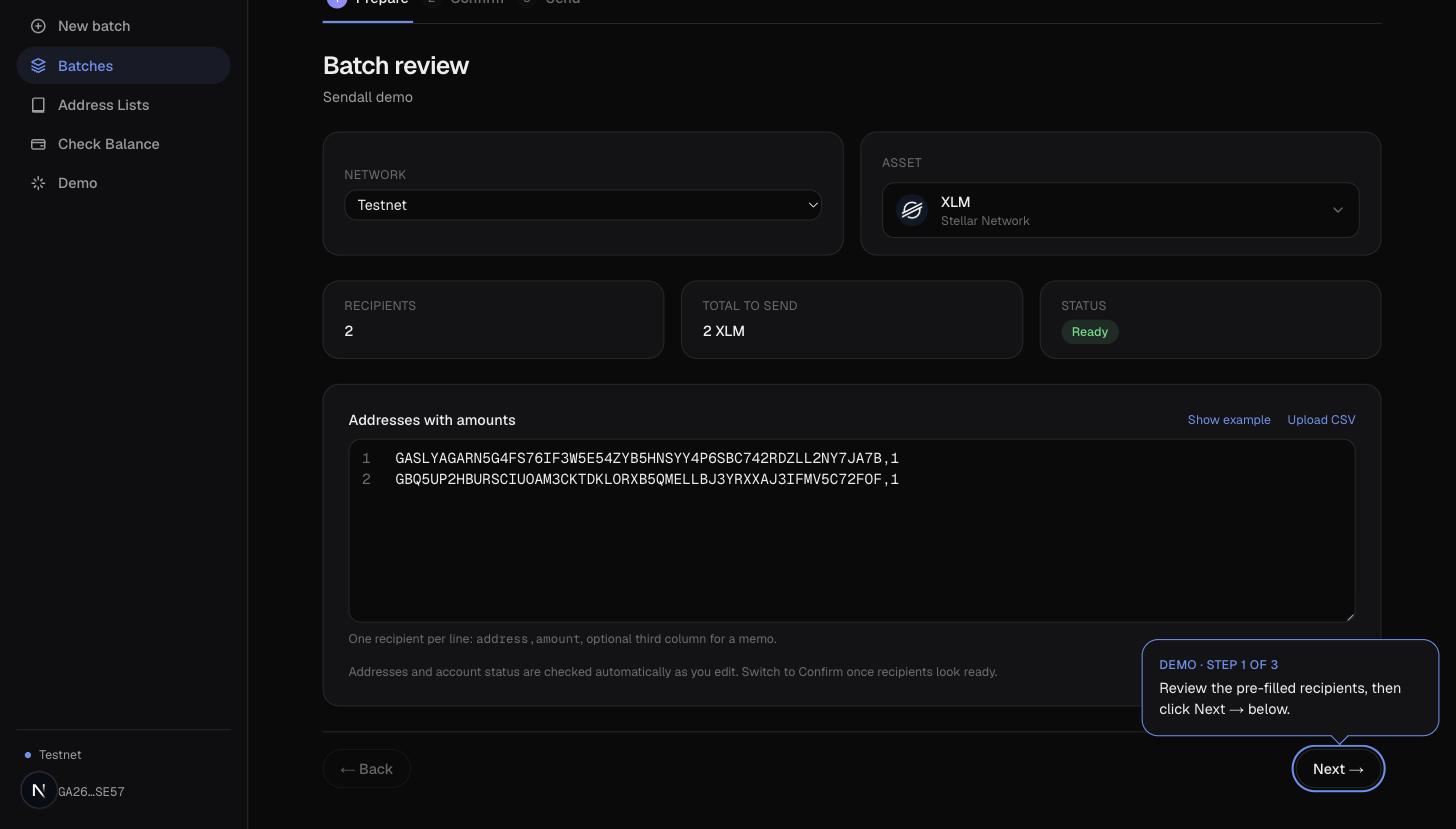
Demo mode runs a real batch, on real testnet, with a guided tour laid over the top of it. It's not a simulation: pressing through it creates an actual batch and, if you sign, submits an actual testnet transaction.
What it does
Starting the demo creates a batch pre-filled with two funded testnet addresses (accounts Sendall's own team reuses for testing, so they're always funded), then drops you on that batch's Prepare screen with a small floating card explaining what to do at each step.
The card tracks whichever stage you're on and points at the specific button to press next: Next on Prepare, Sign & send on Confirm. It's positioned relative to that button (measured live, so it follows if you resize the window or scroll) rather than pinned to a fixed corner, so it never covers the thing it's telling you to click.
Why it exists
New users of a non-custodial tool are, reasonably, cautious about signing anything. The demo lets you see the entire flow, including a real wallet signature and a real ledger close, on an asset that has no value, before you ever run it against funds you care about.